
Proofpoint Email Security
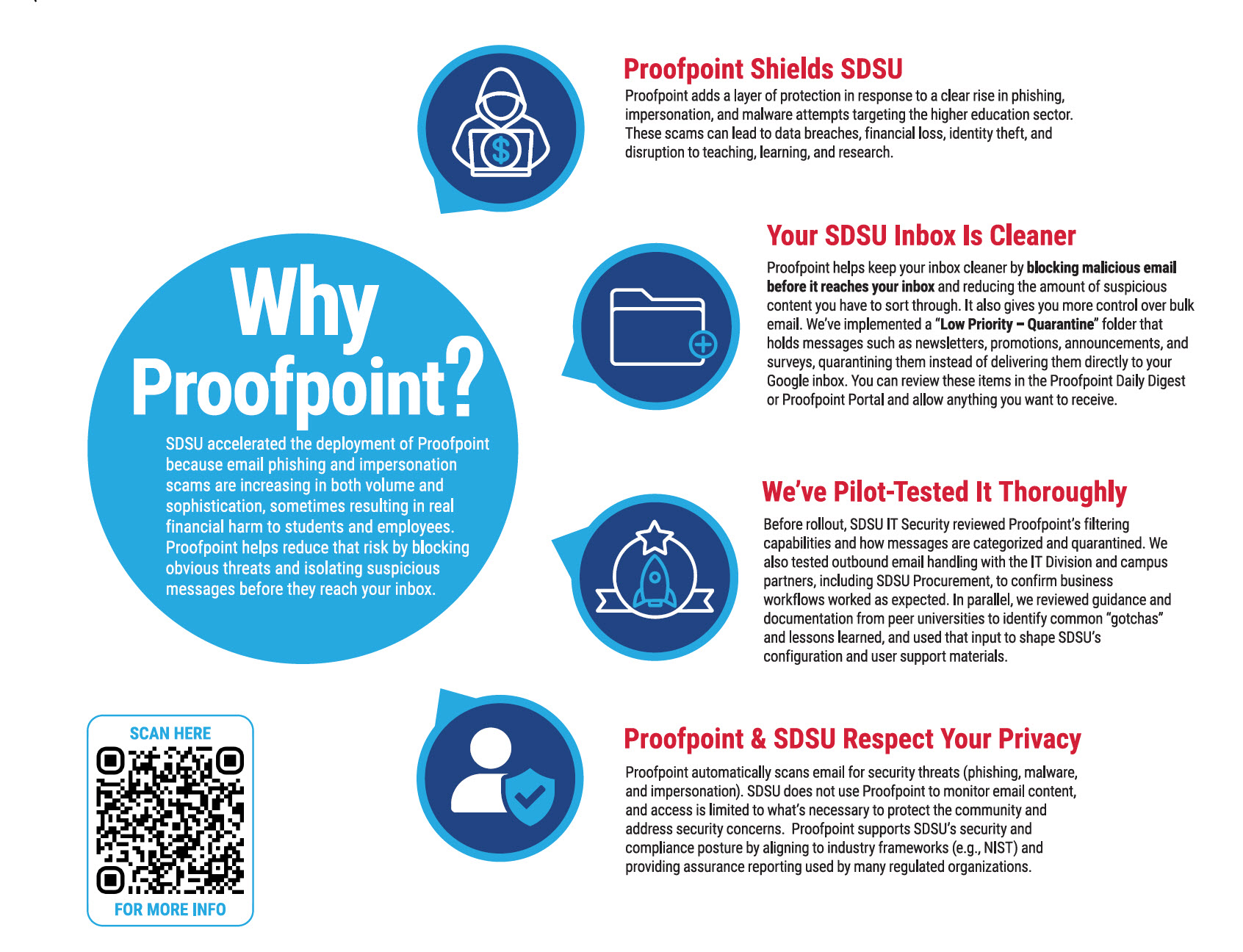
SDSU uses Proofpoint Email Security to help protect your SDSU email from spam, phishing, impersonation scams, and malware. Proofpoint works in the background and should not interrupt normal email use.
 Open the image full screen.
Overview
Proofpoint filters inbound email to help protect SDSU accounts and data by reducing:
- Phishing and impersonation attempts (credential theft, financial fraud)
- Malware (malicious attachments and payloads)
- Spam and unwanted bulk email (inbox clutter)
When Proofpoint is unsure about a message, it may place it in quarantine so you can review it safely.
What do you need to do?
- Watch the Proofpoint How-To Video: https://youtu.be/HbNaKpzW4tg
- Only if you have a quarantined email, you should look for your Proofpoint Digest Email and review held messages, if needed.
- If you’re expecting an email and don’t see it, check the Proofpoint Digest Portal at spamdigest.sdsu.edu first (login with your SDSUid).
- If you suspect phishing, forward the email to [email protected] (don’t click links or open attachments).
- Check out the Proofpoint SDSU ServiceNow Knowledge Base “Proofpoint Email Security” (login required) article for additional information.
- We want to hear from you—please share feedback at Proofpoint Feedback Form
Proofpoint How-To Video
Get Help
- Contact the SDSU IT Help Desk:
- IT Help & Support: https://it.sdsu.edu/get-help
- Live Operators: Virtual Help Desk
- Phone: (619) 594-HELP (4357)
Get Help
To request a service, please submit a ticket via ServiceNow.
Report an Incident
Please contact the Information Security team immediately if you experience or are aware of any of the following: